
ubuntu,qtcreator 14,Github Copilot。注意你的qtcreator版本,需要11+
安装node.js
版本需要>=16
1 | # 设置库 |
克隆copilot.vim
放哪都行,不过最好不要放到root (可能出错)
1 | git clone https://github.com/github/copilot.vim.git |
qtcreator配置
帮助->关于插件
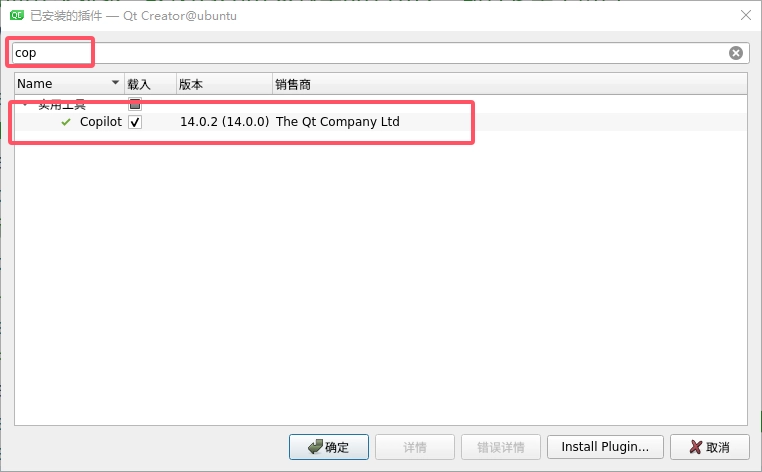
编辑->Preferences
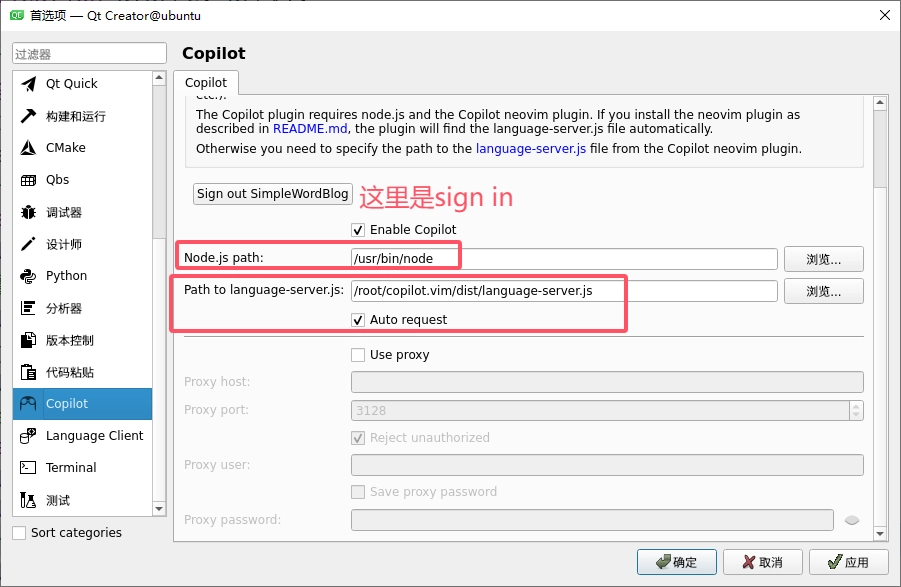
设置node.js路径
language-server.js在你之前克隆的文件那里
设置好后,点击sign in,登录github,设备码在剪切板,右键粘贴即可
此后就可以正常使用了,会有相关提示,可以tab
可能的问题
虚拟机无法访问github
- 确保你的宿主机可以访问github3
- 虚拟机中临时命令配置如下
- 你需要替换ip和端口
- ip和端口是你宿主机的ip和代理端口
1 | export http_proxy=http://username:password@192.168.2.2:7897 |